Rack management software: every rack unit accounted for.
Every device's location, configuration and status is recorded from data center to rack to rack unit. Hardware details are collected automatically, so your asset inventory no longer lives in a spreadsheet.
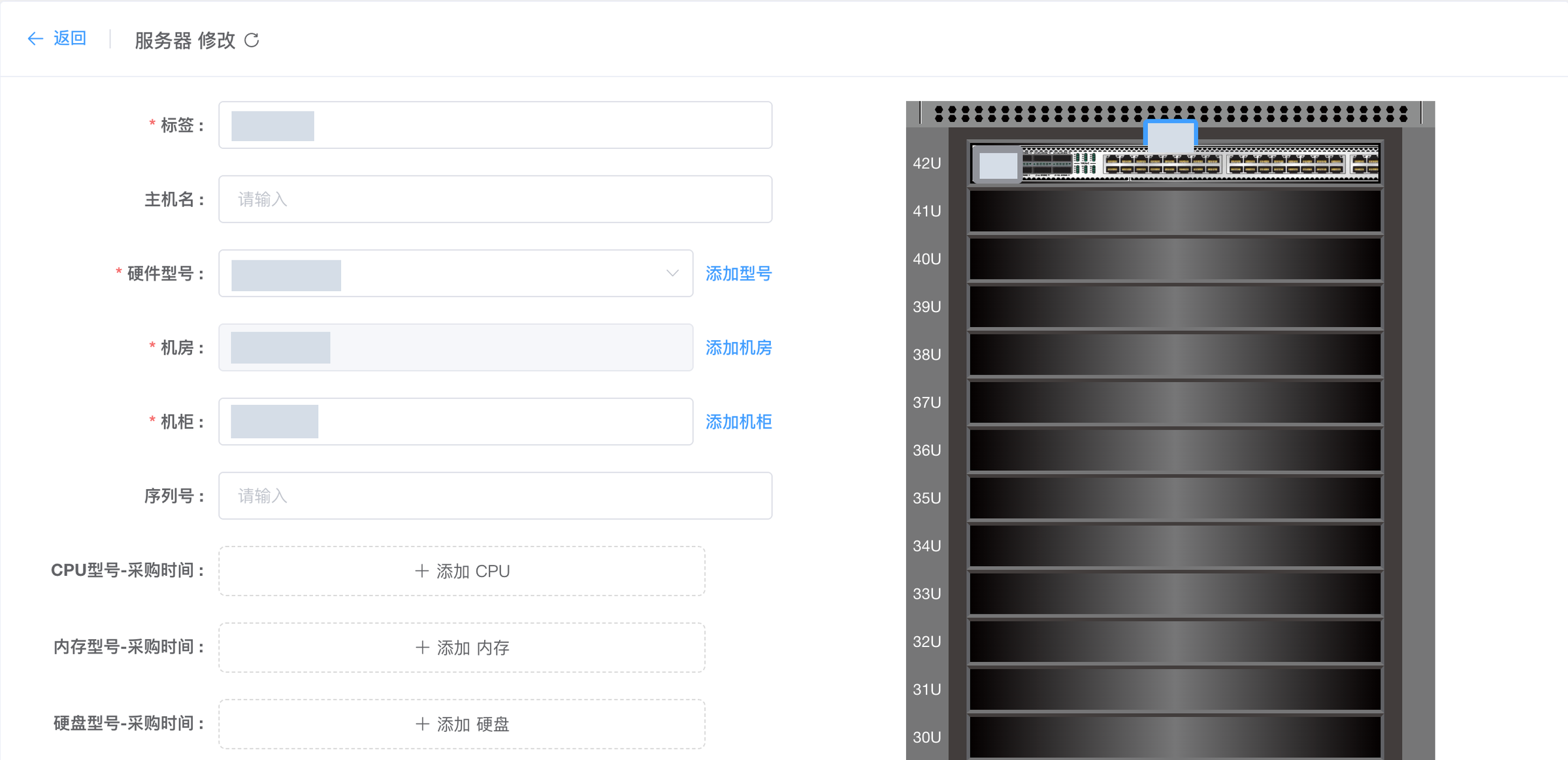
Rack U positions and device configuration (cropped) · Actual product interface · sensitive data redacted
Key capabilities
- 01
Rack-unit views
Up to 100U per rack, with occupied and free positions visible at a glance.
- 02
Hardware discovery
A discovery script records each server's CPU, memory and disks, and keeps the history.
- 03
PDUs and power
Manage intelligent PDUs in every rack and see live power usage per data center.
- 04
Parts and RMA
Disks, memory and other parts are tracked by batch, with every failure and return on record.
From data center to rack unit
Toplink DCIM organizes resources in four levels: data center, rack, rack unit and device. One installation can manage several data centers, each with its own power capacity, bandwidth and contacts. Racks are divided into rack units, up to 100U per rack.
When a server or switch is installed you choose the rack and the starting unit, and the device occupies as many units as it is tall. The rack view shows which positions are taken and which are free, so capacity planning no longer requires a trip to the floor.
An asset inventory that updates itself
Spreadsheets drift out of sync with reality. DCIM keeps the inventory accurate instead:
- Hardware discovery: a detection script reads each server’s real CPU, memory and disks, and every run is kept in the history;
- Two sources, side by side: manually entered specs and discovered hardware are both kept, so a swapped part stands out immediately;
- Hardware models: define slots, NIC count, IPMI support and console type once per model and apply them to every new server of that model;
- Asset tags: asset numbers are generated by rule, and scanning a tag opens the server’s details.
Parts, failures and RMA
Replaceable parts such as disks and memory modules are stocked by batch, with model, purchase date and destination recorded. When a part fails you log an RMA, and the dashboard shows how many parts are currently out for repair. Server faults are tracked in fault management, so you can always see who replaced what, and when.
Power and capacity
Intelligent PDUs in each rack can be managed centrally. The dashboard’s resource overview summarizes power usage, inbound and outbound bandwidth and utilization per data center, together with how many servers are on, off or in an unknown state. It shows at a glance which site is nearly full and where power is running tight.
Rack management software
How many rack units can a rack have?
Up to 100U per rack. Set the height to match the physical rack; 42U is the most common.
Do I have to enter server hardware by hand?
No. DCIM can run a discovery script on each server to read its real CPU, memory and disks and keep the history. Manually entered specs are kept too, so you can compare the two.
Can one system manage several data centers?
Yes. One installation manages multiple data centers, and each site can run a node that performs discovery and reinstall jobs locally.
See how it works in your data center.
Start with a product demo and map out your next step.
Hotline 400-112-2951