Toplink DCIM · Data center infrastructure management

DCIM softwarefor your entire data center.

Racks, servers, IPs, switch ports and remote consoles in one system: no more spreadsheet inventories, no more IP conflicts or theft, no more site visits to install or recover servers, and customers handle their own reinstalls and reboots.

View pricing
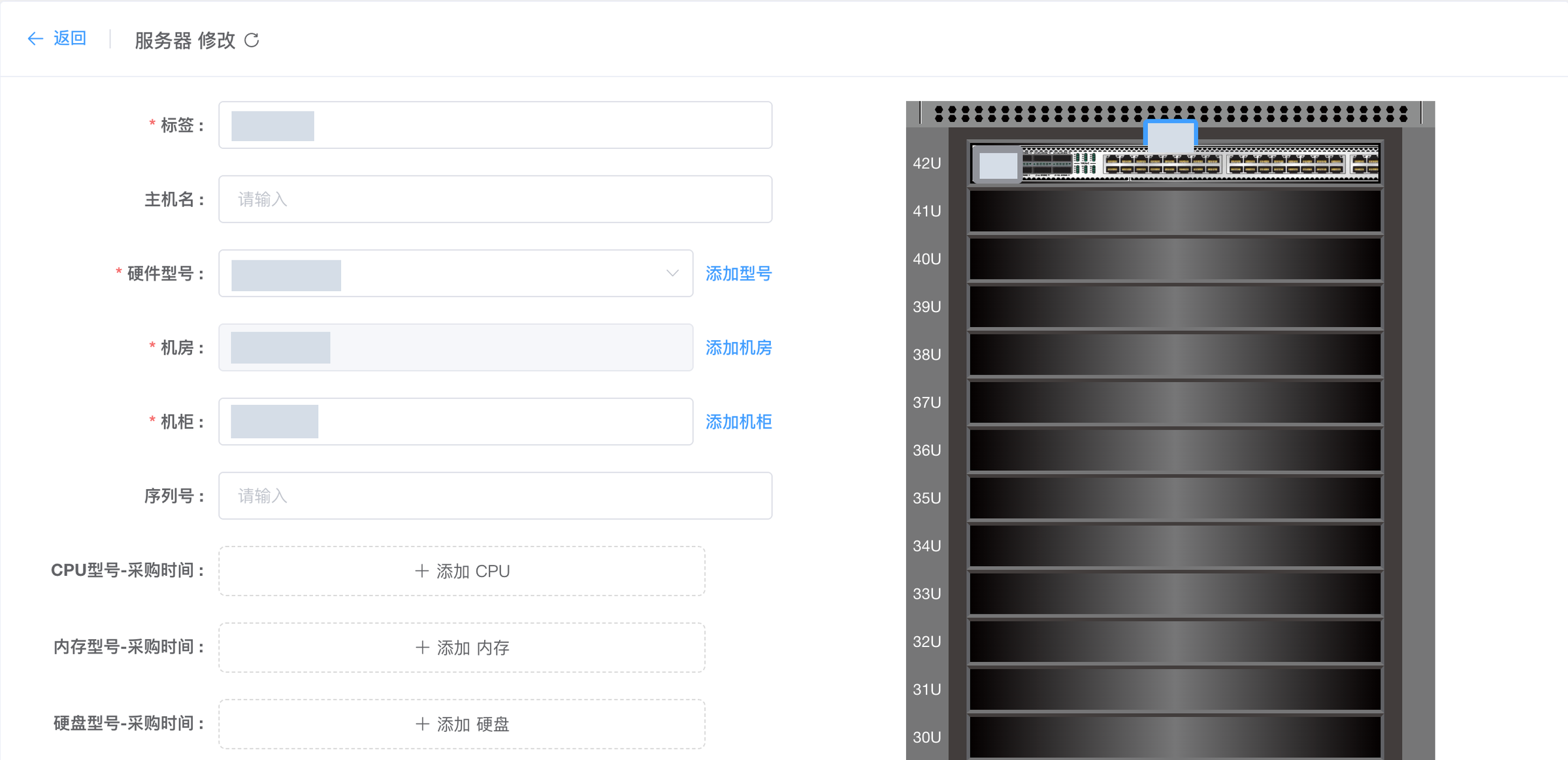
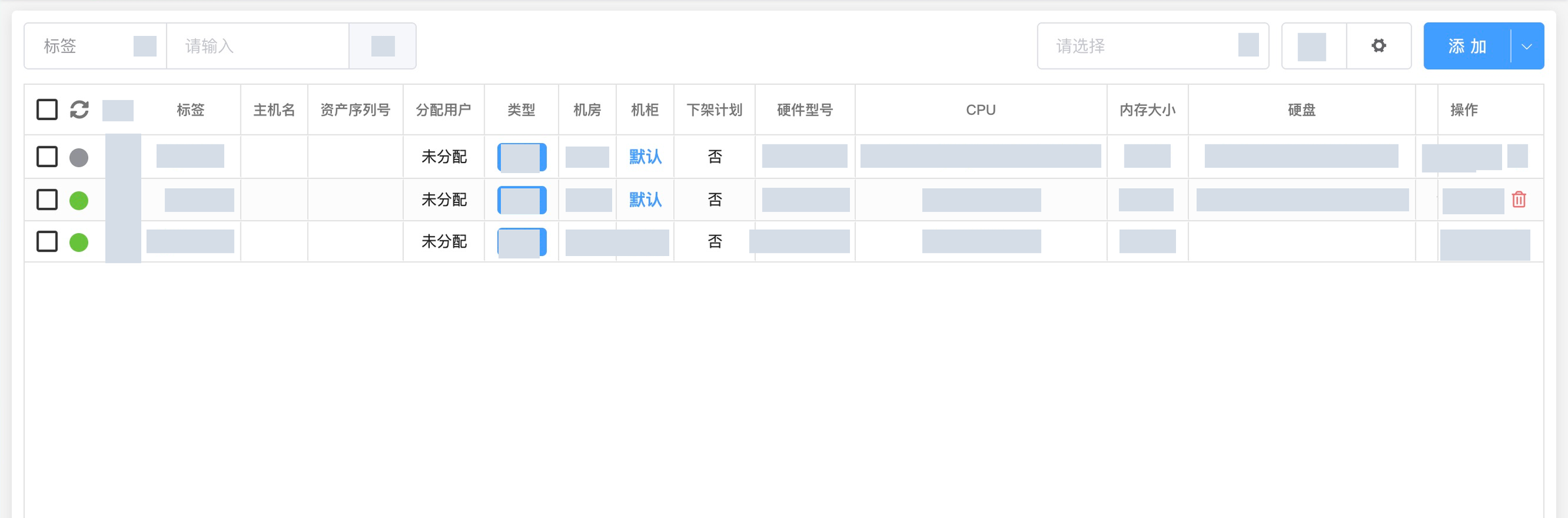
Server management (cropped) · Actual product interface · sensitive data redacted

Server management (cropped) · Actual product interface · sensitive data redacted

  • Decentralized architecture
  • Cloud-native HA
  • Zero-touch provisioning
  • Web & mobile
  • WHMCS integration
Core capabilities

Every resource in your data center, on one map.

01Racks & assets

See every rack. Let the asset ledger fill itself.

Rack-unit views and install/remove workflows, with CPU, memory and disk details collected automatically. Your inventory stays current — no more spreadsheets.

  • Rack-unit views and install workflows
  • Automatic CPU / memory / disk discovery
  • Live PDU power metering
Rack U positions and device configuration (cropped) · Actual product interface · sensitive data redacted
Rack U positions and device configuration (cropped) · Actual product interface · sensitive data redacted
02IP management

Centralized IP management, with native IPv6.

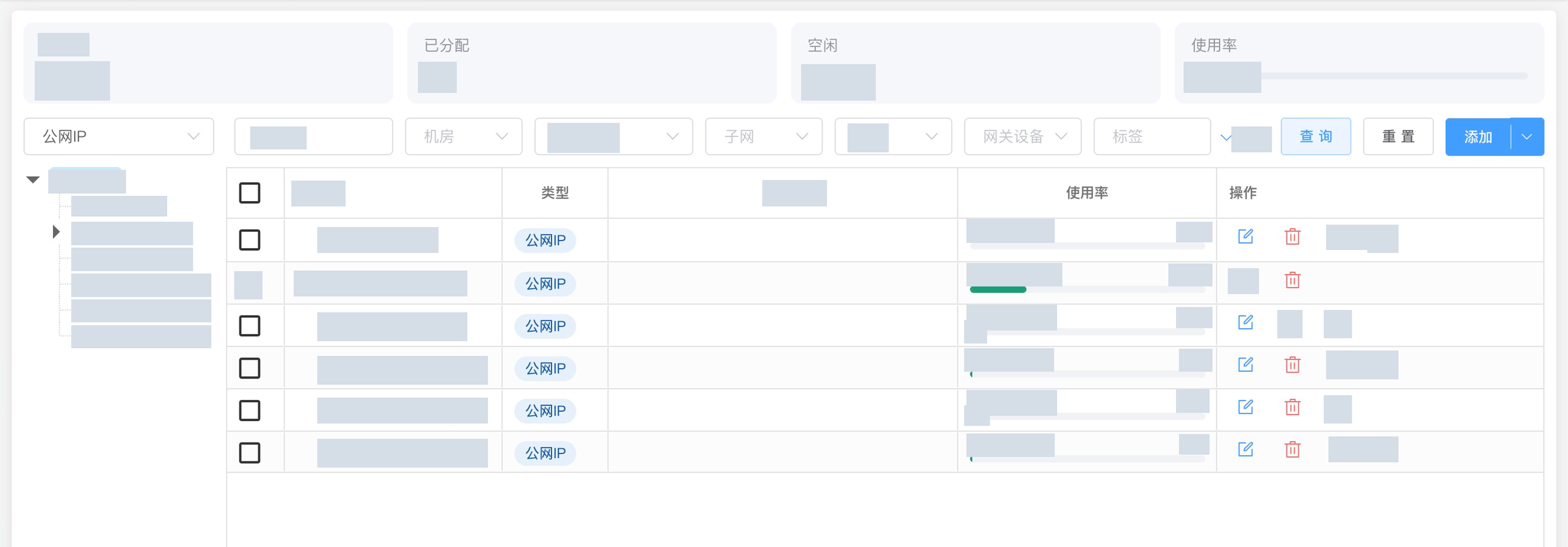
Unified address pools with usage tracking and automatic MAC binding to prevent conflicts and waste. IPv6 planning and assignment are built in for a smooth transition.

  • Unified pools and usage tracking
  • Automatic MAC binding
  • Native IPv6 planning and assignment
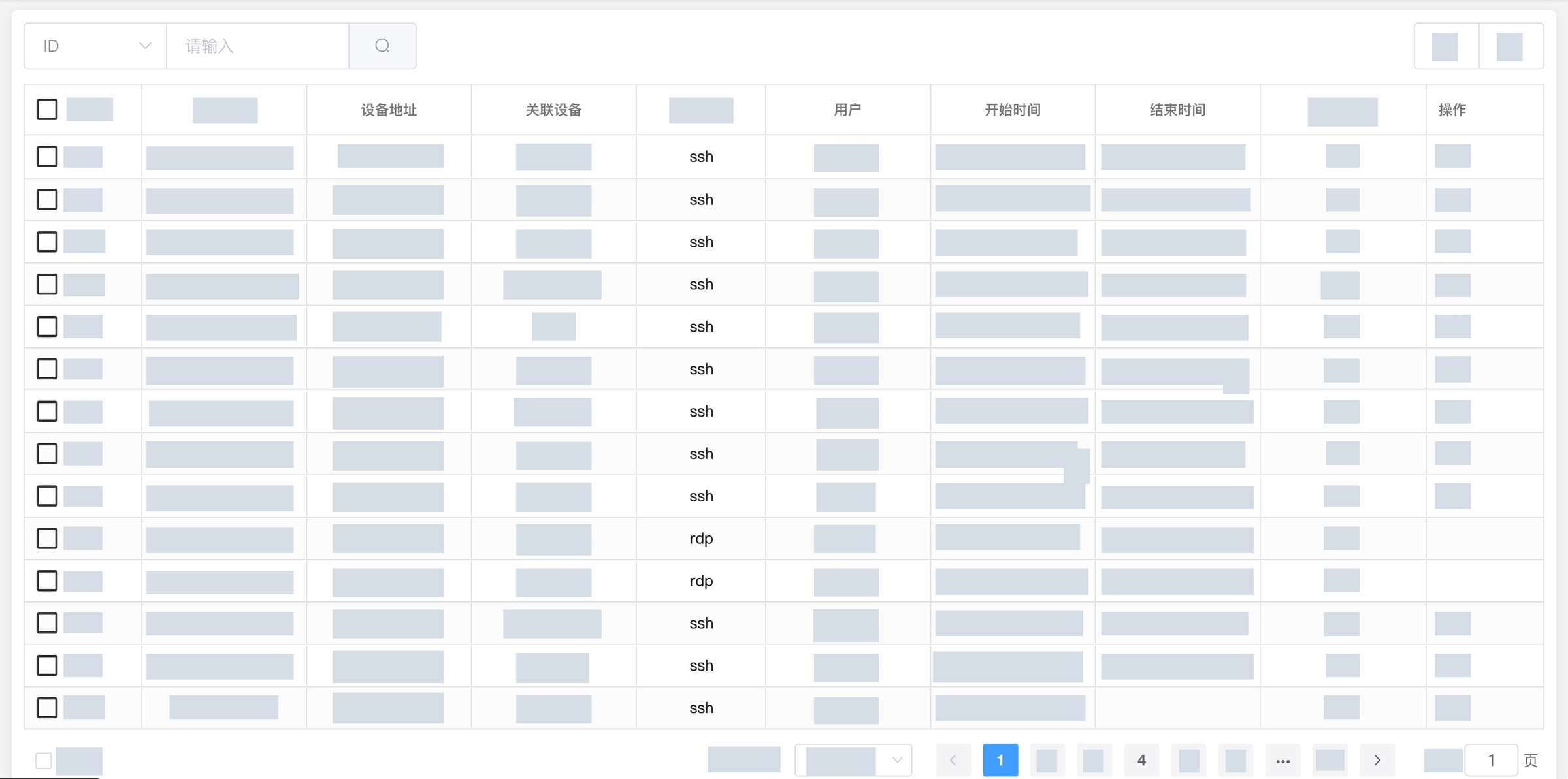
IPv4 address management (cropped) · Actual product interface · sensitive data redacted

IPv4 address management (cropped) · Actual product interface · sensitive data redacted

03Switch control

Configure ports remotely. Visit the floor less.

Configure switch ports and policies remotely. Port usage, uplinks and VLANs are recorded in one place, and IP-MAC binding is automatic — no more tracing cables by hand.

  • Built-in command sets for Huawei, H3C, Cisco, Juniper and more
  • Push VLANs and rate limits remotely
  • ARP binding and source-address checks

Illustrative interface

04Monitoring & billing

Real-time traffic, invoices that match usage.

Live traffic graphs with anomaly detection and top-talker rankings pinpoint busy nodes. Bandwidth statistics support 95th-percentile and other billing models for capacity and invoicing.

  • 95th-percentile, outbound, inbound or total metering
  • Automatic usage notifications
  • Auto rate-limit or shut the port when exceeded

Illustrative interface

Remote operations

One browser. Every server.

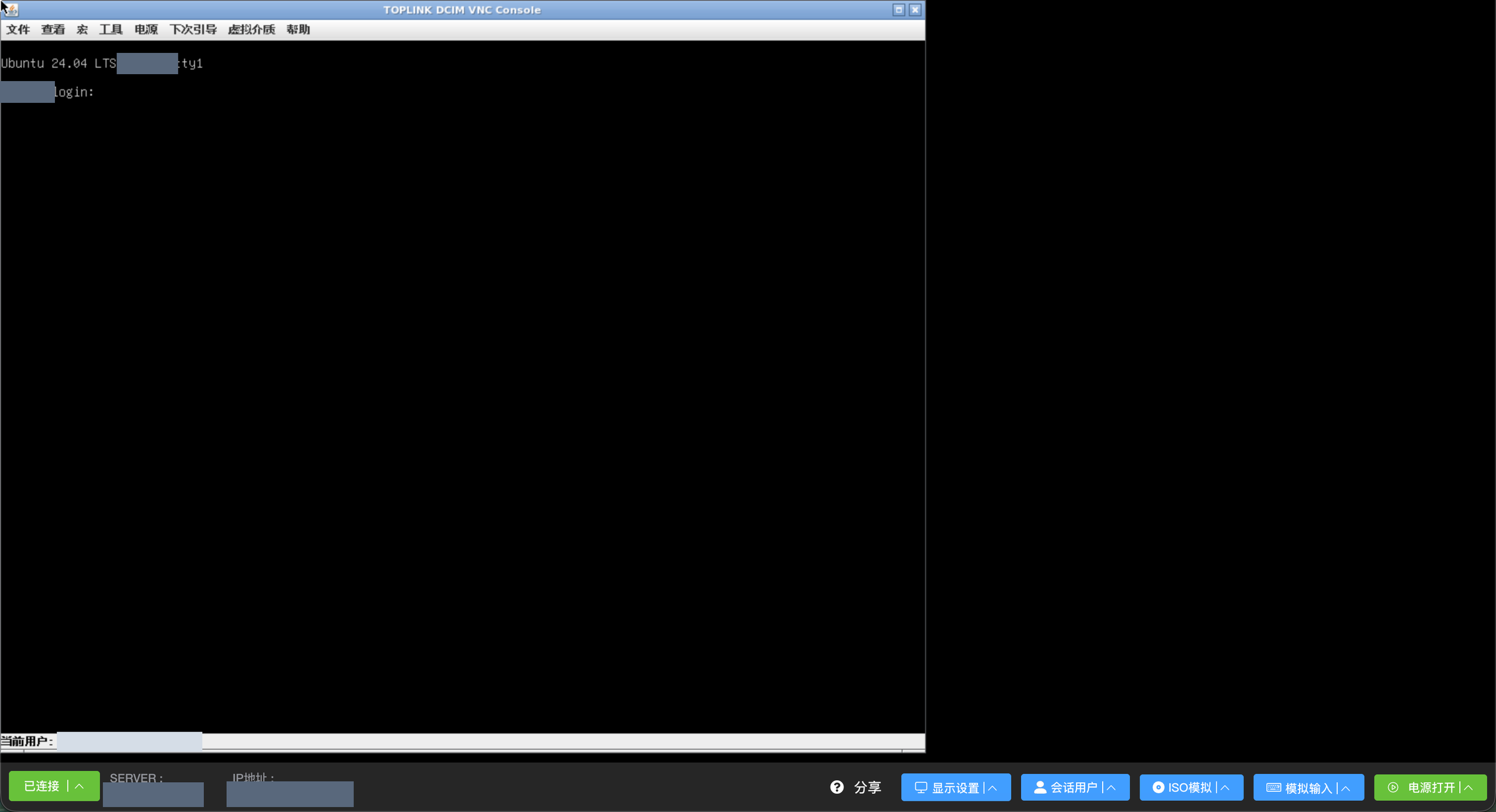
Open any server screen in the browser with no client to install. Out-of-band management (BMC/IPMI) works even when the server is off or has no OS.

VNC remote console · Actual product interface · sensitive data redacted

VNC remote console · Actual product interface · sensitive data redacted

  • Remote console (VNC/KVM)

    VNC, SSH and RDP in the browser. Mount an ISO and control power and boot order to install systems remotely.

  • Session recording & audit

    Every remote session is recorded end to end, with speed playback and scrubbing. SSH/Telnet sessions add command-level logs for compliance and forensics.

  • Multi-site + rack-unit views

    Manage multiple data centers together. Rack-unit views pinpoint every device, with power curves and capacity bars on one screen to guide expansion.

  • Smart rate limiting

    Manual or automatic limiting with separate upstream and downstream thresholds. Policies trigger automatically and can be saved as templates and applied in bulk.

Customer portal

Reinstall, reboot, rescue — customers do it themselves.

Once a server is assigned, the customer manages it from their own portal. Routine after-sales requests no longer need a ticket or an engineer.

  • Power, reinstall and rescue modeWhen the OS won’t boot, rescue mode starts a temporary system for repairs without touching the disks.
  • Console, traffic and attack historyCustomers see the screen and check traffic themselves, so issues are found faster.
  • Second factor for risky actionsReinstalls, rescue and password resets require a one-time code, guarding against mistakes and stolen accounts.
Customer portal · illustrative
Security & audit

Every action, accounted for.

Admins are granted access by group and only see the menus and buttons they own. Accounts support two-factor sign-in, remote sessions are recorded, and operation and login logs are kept in full.

  • Group permissionsSupport sees tickets, network engineers see the network — down to individual menus and buttons.
  • Two-factor sign-inGoogle Authenticator one-time codes.
  • Full audit trailSession recordings, operation audit, system and login logs — traceable to a person.
Operations audit (cropped) · Actual product interface · sensitive data redacted
Compatibility

Works with the hardware you already have.

Servers are managed over standard IPMI regardless of brand, and the console and switch command sets are adapted to each major vendor.

Server out-of-band (BMC)

  • Dell iDRAC 6–9
  • HPE iLO 2 / 4 / 5
  • Huawei iBMC / iMana
  • Supermicro
  • Lenovo XClarity
  • Inspur
  • H3C HDM
  • Cisco IMC
  • Generic AMI MegaRAC

Switches

  • Huawei S / CE series
  • H3C S series
  • Cisco IOS / NX-OS
  • Juniper EX / QFX
  • Dell S series
  • Ruijie SE series
  • Arista
  • Ruckus
  • ZTE

Operating systems

  • CentOS / CentOS Stream
  • RHEL / AlmaLinux / Rocky
  • Ubuntu 14.04 – 26.04
  • Debian 8 – 13
  • openEuler / TencentOS
  • FreeBSD
  • Windows
  • VMware ESXi
  • Proxmox VE / XenServer
Capabilities

All 18 capabilities, in every edition.

We don’t split features by edition. Choose by scale.

  1. 01Network top-talkers
  2. 02Hardware statistics
  3. 03Fault management
  4. 04Repair management
  5. 05Ticketing
  6. 06Image management
  7. 07Diagnostic tools
  8. 08Switch control
  9. 09Usage statistics
  10. 10User statistics
  11. 11IP management
  12. 12Batch install & assign
  13. 13Traffic monitoring
  14. 1495th-percentile billing
  15. 15IPv6
  16. 16Logs
  17. 17Multi-platform clients
  18. 18Hardware discovery
FAQ

Questions about DCIM.

Which server and switch brands are supported?

Servers are managed over standard IPMI regardless of brand, and the remote console supports Dell iDRAC, HPE iLO, Huawei iBMC, Supermicro, Lenovo, Inspur and other major BMCs. Built-in command sets cover Huawei, H3C, Cisco, Juniper, Dell, Ruijie and more, with generic support for other models in the same series.

Can I manage several data centers together?

Yes. One system manages multiple data centers. Agent nodes in each site run reinstalls and data collection locally, and if one is unavailable the system picks another automatically.

Can I fix a server that is powered off or won’t boot?

Yes. Out-of-band management over BMC/IPMI lets you power servers on and open the console even when the OS is down, and rescue mode repairs a broken system without touching the disks.

Can customers reinstall their own servers?

Yes. Once a server is assigned, customers can power it on and off, reinstall the OS, enter rescue mode and open the console from their portal. Risky actions such as reinstalls require a one-time code.

Is the admin interface multilingual?

Yes. It can switch between Simplified Chinese, Traditional Chinese, English and Korean, so teams and customers in different regions can all use it.

Bring your data center into Toplink DCIM.

Start with a product demo and map out your next step.

View pricing
Hotline 400-112-2951

Let’s talk about your IDC

Scan with WeChat to book a product demo or request a trial.

Toplink WeCom contact QR code

Save this code or scan it with WeChat / WeCom

Or call
400-112-2951
Telegram
@TopLink88